
In this part, we will try to forward SSH syslog to OSSIM. I used my own Fedora linux logs and forwards the logs message to OSSIM over port 514 UDP.
Based on Alienvault documentation here, we simply using rsyslog to forwards Linux logs messages to OSSIM.
Forward Linux Logs Messages Over Syslog
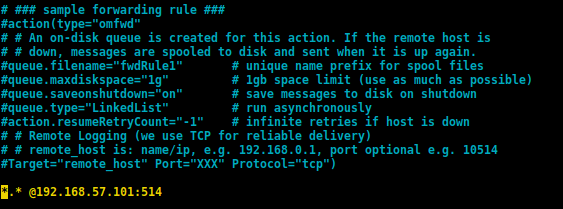
Open /etc/rsyslog.conf with text editor, and add the following lines on the last line of rsyslog.conf
*.* @<OSSIM IP Address>:514You can see on my rsyslog.conf below :
Restart rsyslog service.
OSSIM Rsyslog
Go to the OSSIM jailbreak, we will create a new configuration to handle syslog messages from our Linux devices.
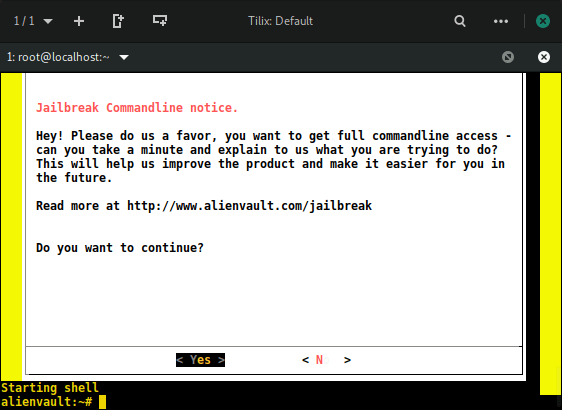
Create a new file on /etc/rsyslog.d with this command, change the file name with your own name file.
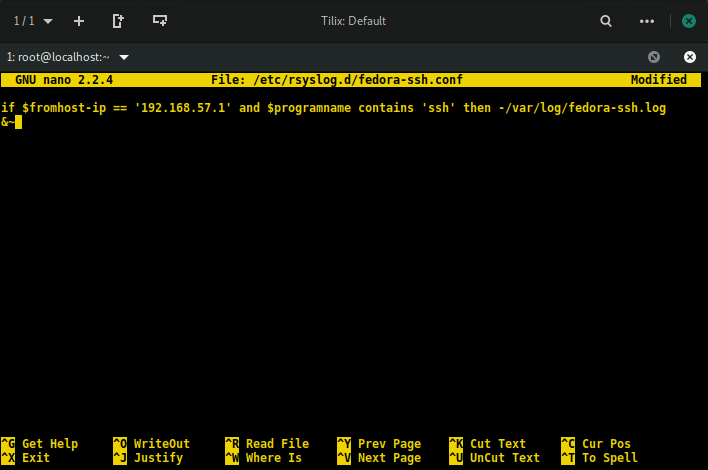
touch /etc/rsyslog.d/linux-ssh.confNow, on this new file, we will input a script to direct only file SSH from our linux devices to directory /var/log. Open the file with text editor and create the script below :
if $fromhost-ip == 'Insert YOUR LINUX IP' and $programname contains 'ssh' then -/var/log/name.log
&~
For the detailed information about the script, you can read on official website RSYSLOG here.
Restart OSSIM rsyslog service. You can see my OSSIM rsyslog configuration below :
Now, you can test login SSH to your Linux machines, and check the logs on OSSIM with this command :
tail -f /var/log/yoursshlogname.log
We can see from the picture above, SSH logs from my Linux devices, i try several login failed and login success, all logs now save to /var/log/fedora-ssh.log.
Now, as we can see, SSH logs from our Linux devices all ready saved on OSSIM syslog, but this log messages needs to be normalized first before stored in OSSIM databased and show in OSSIM dashboards.
On the next part, we will try to create OSSIM plugins for normalized SSH logs and stored the SSH events to database.
Happy Learning…………
 blackboot03.art.blog
thanks
LikeLike