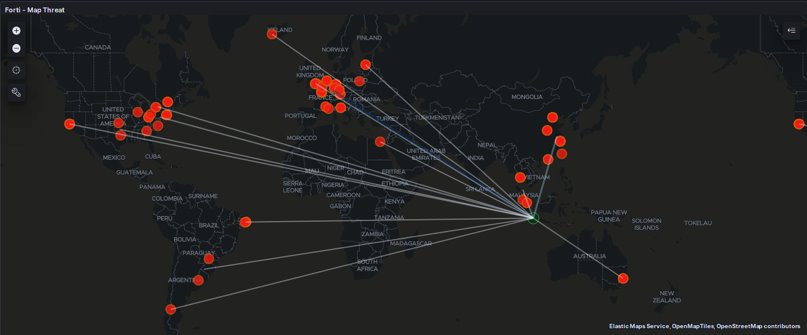
This article will show how to integrated USM Anywhere Alarms to Elastic by API.
USM Anywhere provides web service API services for external needed, for example custom dashboards. This API consists of two category :
- API Events
- API Alarms
For detailed information of USM Anywhere API, visit here.
To communicate with the USM Anywhere API, you need the ClienID and Client key which can be obtained in the Profile – Settings – Client API menu in the USM Anywhere dashboard.
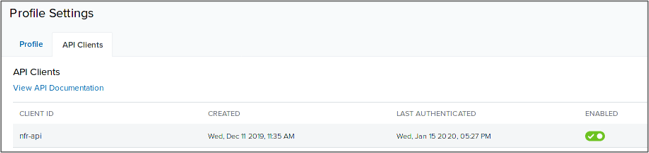
Format Authentication API uses Bearer Token Authentication, where the client user will get a token from basic authentication for use in the data exchange process.
To integrate with USM Anywhere API and Elastic, here we will use the python programming language as the backend.
Python provides support libraries to perform operational APIs with various authentication formats, in addition to that python also provides elastic libraries that can be used to ingest data to elastic through the elasticsearch API.
Sample code can be seen in here.
Some python libraries that will be used:
- Base64: used for encoding client ID and client key
- Requests: used for client-server communications
- Elasticsearch: used for communication to elsaticsearch
- Helpers: used for bulking ingest data into the elasticsearch API
Below is my script to run Authentication on USM Anywher API :
def Auth(apiuser, apikey):

    userpass = apiuser + ":" + apikey
    encoded_u = base64.b64encode(userpass.encode()).decode()


    headers = {"Authorization": "Basic %s" % encoded_u}
    #print(headers)

    r = requests.post("https://{}.{}/oauth/token?grant_type=client_credentials".format(HOST, URL), headers=headers)


    if r.status_code is 200:
        return r.json()["access_token"]
    else:
        print("Authentication Failed. Check username/password")
        exit(1)
For Alarms Code
def Alarms(token):
"""Pulls alarm from USM API"""
headers = {"Authorization": "Bearer {}".format(token)}
r = requests.get("https://{}.{}/alarms?size=200×tamp_occured_gte=1573405200".format(HOST, URL), headers=headers)
if r.status_code is not 200:
print("Something Wrong . \n{}".format(r.content))
else:
data = r.json()
return (data)Code for generate specific events
def MasscanEvent(token):
"""Pulls events from USM API"""
headers = {"Authorization": "Bearer {}".format(token)}
#print(headers)
r = requests.get("https://{}.{}/events?size=200&plugin=Fortinet Fortigate×tamp_occured_gte=1573405200"
"&event_name=applications3: Masscan.Scanner,".format(HOST, URL), headers=headers)
if r.status_code is not 200:
print("Something Wrong . \n{}".format(r.content))
else:
data = r.json()
# print(data)
return (data)Create code for Elastic ingest data
client = Elasticsearch("localhost:9200")


def get_data_from_file(self):
    return [l.strip() for l in open(str(self), encoding="utf8", errors='ignore')]

docs = get_data_from_file("alarms.json")

doc_list = []

for num, doc in enumerate(docs):
    try:
        dict_doc = json.loads(doc)
        dict_doc["@timestamp"] = datetime.now()
        dict_doc["_id"] = num
        doc_list += [dict_doc]

    except json.decoder.JSONDecodeError as err :
        print("Error for num: ", num, "--JSONDecodeError: ", err, "for doc: ", doc)
        print("Dicts doc lengt: ", len(doc_list))
    try:
        print("\nAtempting to index the list of doc using helpers bulk()")

        resp = helpers.bulk(
            client,
            doc_list,
            index = "alarms-all",
            doc_type = "_doc"
        )
        print("helpers.bulk() RESPONSE: ", resp)
        print("helpers.bulk() RESPONSE: ", json.dumps(resp, indent=4))

    except Exception as err :
        print("Elasticsearch helpers.bulk() ERROR: ", err)
        quit()

query_all = {
    'size' : 10_000,
    'query' : {
        'match_all' : {}
    }
}

print("\nSleeping for a few second")
sleep(2)

resp = client.search(
    index="alarms-all",
    body=query_all
)

print("search RESPONSE: ", json.dumps(resp, indent=4))
print("Length of docs returned by search(): ", len(resp['hits']['hits']))
Bellow, sample json data we get from USM Anywhere API
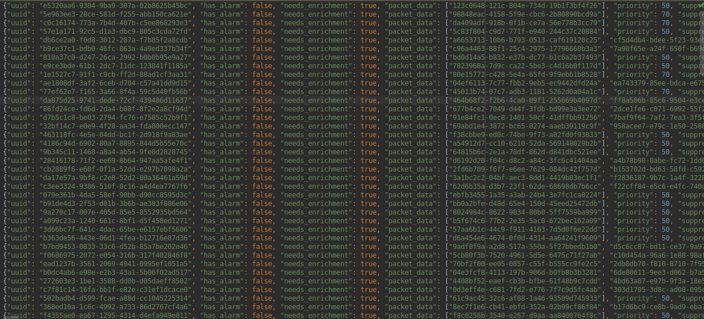
Elastics provides a dashboards world map to show source attackers based on geo ip location. From the json data we get, we must first do a geo location mapping so that when indexing on the kibana dashboards, the data type is in accordance with the data type elastic map.
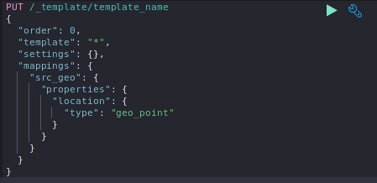
After execute code to inject data from API JSON to Elastic, we get all the events on Elastic dashboards
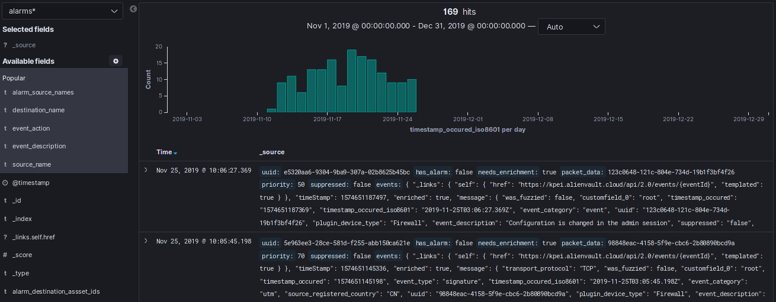
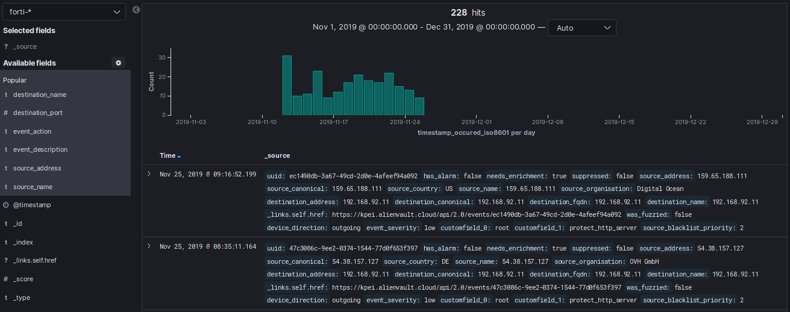
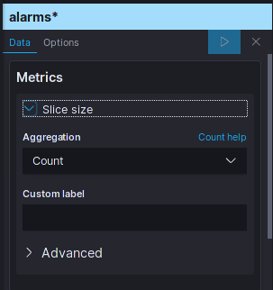
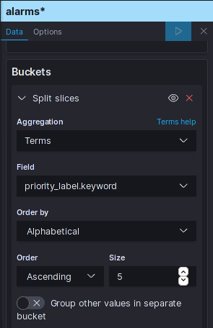
Before displaying on the dashboards, a widget will be created on the Vizualize Kibana page to configure the data to be retrieved.
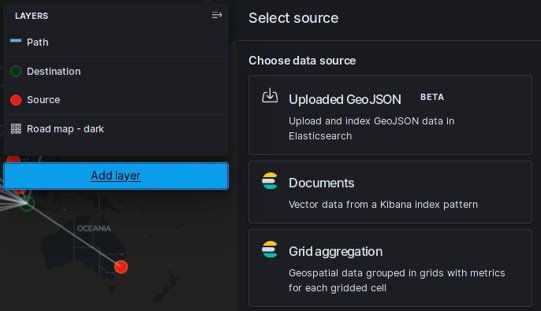
Likewise with Elastic Map, before it is displayed on the dashboards, widgets configuration can be done on the Kibana – Map menu
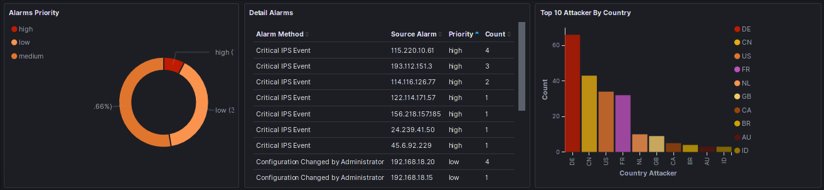
And the result, we can see on the dashboards for Alarms events :
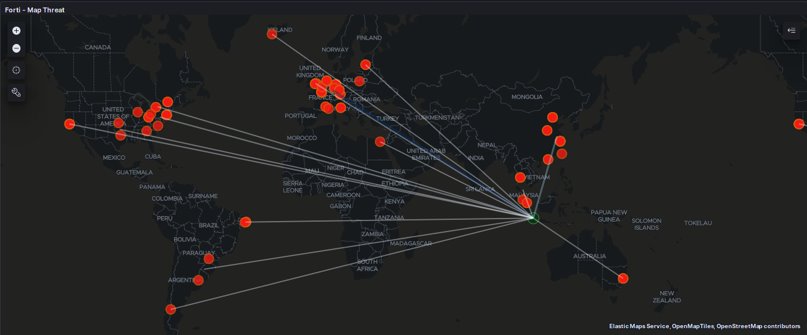
And the Map dashboards based on USM Anywhere Events
 blackboot03.art.blog
Leave a comment